
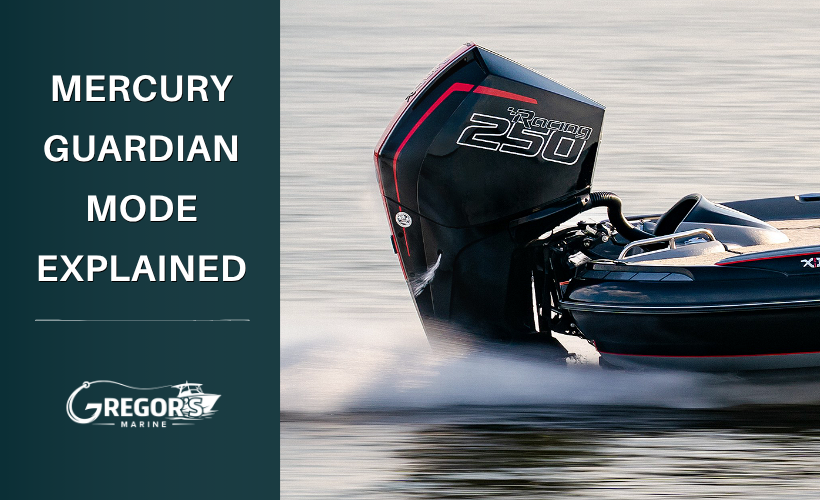
Mercury Guardian Mode Explained: What It Means and What To Do
Mercury Guardian Mode Explained
If your Mercury outboard suddenly loses power, will not accelerate, or begins sounding an alarm, your engine may have entered Guardian Mode.
Guardian Mode is Mercury's built-in engine protection system. It is designed to help prevent serious damage by reducing engine performance when certain problems are detected.
While it can be frustrating, Guardian Mode is actually doing its job by helping protect your engine.
What Causes Mercury Guardian Mode?
Guardian Mode isn't a diagnosis by itself. It's the engine's response to a condition detected by its monitoring system.
Depending on the Mercury model, warnings can involve:
- Engine temperature or cooling-system problems
- Water pressure
- Engine oil level or oil pressure
- Battery voltage or electrical conditions
- Water in a boat-mounted water-separating fuel filter on applicable systems
- Sensor or monitored-system faults
The exact warnings and Guardian responses vary by engine. That's why the warning displayed by the engine is much more useful than simply knowing that it "went into Guardian."
What Should You Do When Guardian Activates?
Mercury instructs the operator to reduce engine speed and identify and correct the problem if possible.
Before cycling the key off, look at your SmartCraft or VesselView display if equipped. Take a picture of the warning so you don't have to remember it later.
Then make a few basic checks based on what the engine is telling you.
If It's a Cooling Warning
Stop the engine and check the water-intake openings on the lower unit for an obstruction. Weeds, a plastic bag, mud, or other debris can restrict cooling-water flow. Mercury specifically recommends checking the lower-unit water intakes when applicable cooling-system warnings occur.
And don't rely entirely on the tell-tale.
An engine can have a visible tell-tale stream and still have a cooling-system problem. The tell-tale doesn't independently verify correct water pressure, thermostat operation, unrestricted cooling passages, or engine temperature.
If It's an Oil Warning
Stop the engine and check the oil level according to the procedure for your engine.
Don't automatically add oil just because the warning involves oil. If the level is already correct, adding more won't fix a pressure, sensor, or other underlying problem.
If It's an Electrical Warning
Check the obvious things first:
- Battery voltage, if displayed
- Loose battery terminals
- Corroded connections
- Battery condition
Low voltage and poor connections can create electrical problems, but don't assume the battery is responsible for every electrical fault.
Can You Reset Mercury Guardian Mode?
On many Mercury engines, returning the throttle to idle resets the Guardian system. If the triggering condition has been corrected, the engine may then allow normal operation again. If the problem remains, Guardian can continue limiting the throttle.
The important distinction is:
Resetting Guardian does not repair the problem that caused it.
If weeds were covering the water intakes and you removed them, you may have corrected the actual cause. If Guardian repeatedly comes back with no obvious external problem, repeatedly returning to idle or restarting the engine isn't a repair.
Don't Turn the Key Off Before Checking the Warning
If your boat has SmartCraft or VesselView, take advantage of it.
SmartCraft can display critical alarm information and potential problems to help diagnose a Guardian event. Depending on your engine and installation, it can also display information such as engine temperature, water pressure, battery voltage, oil pressure, RPM, and operating hours.
Before shutting everything down:
- Take a photo of the warning.
- Note approximately what RPM you were running.
- Remember whether you were idling, accelerating, or cruising.
- Note whether the warning appeared immediately or after the engine had been running for a while.
"Guardian came on" isn't nearly as useful for troubleshooting as "Guardian activated around 4,000 RPM after 20 minutes of cruising and SmartCraft showed a cooling-system warning."
When Should You Stop Running the Engine?
If you've found and corrected an obvious problem, follow the procedure in your Mercury owner's manual before continuing.
If the warning returns, you can't identify the cause, or you're receiving an oil-pressure, over-temperature, or other serious warning, don't keep trying to push the engine through Guardian Mode.
At that point, the fault needs to be diagnosed.
For the warning information and procedures specific to your engine, Mercury provides digital owner's manuals that can be found using your engine information.
Find Your Mercury Owner's Manual
Need Help With a Mercury Guardian Warning?
If your Mercury repeatedly enters Guardian Mode, save the warning information and have your engine serial number available.
Gregor's Marine is an authorized Mercury Marine dealer in Largo, Florida. Our team can diagnose Mercury outboard warning and Guardian issues and identify the correct OEM parts if repairs are needed.
Call Gregor's Marine at 727-596-5929 to schedule service.
------------------------------------------------------------
Frequently Asked Questions
Can I keep driving in Mercury Guardian Mode?
Guardian may leave some engine power available depending on the fault, but you shouldn't try to force the engine through the power reduction. Reduce throttle and determine why Guardian activated.
Why is my Mercury in Guardian Mode if it's still peeing water?
A tell-tale stream doesn't confirm that the entire cooling system is operating correctly. Water pressure, temperature, restrictions, thermostats, sensors, and other conditions can still cause a cooling-related warning.
Will restarting my Mercury clear Guardian Mode?
The warning or power reduction may disappear after returning to idle or restarting, depending on the engine and fault. That doesn't mean the underlying problem has been repaired. If Guardian returns, the cause still needs to be diagnosed.
Recent Posts
-

Mercury Repower Rebates & Financing 2026: What to Know Before You Buy
Thinking about replacing your boat's outboard? Mercury Marine's 2026 Repower and Save Event offers …Oct 30th 2026 -

How to Build the Ultimate Inshore Fishing Boat: Our Dream Setup
If we were building the ultimate inshore fishing boat for Tampa Bay, what would we put on it? We're …Oct 19th 2026 -
Mercury Anodes Explained: Zinc vs. Aluminum vs. Magnesium and Which You Need.
You may hear them called zincs, but the sacrificial anodes on your Mercury aren't necessarily made f …Oct 19th 2026