
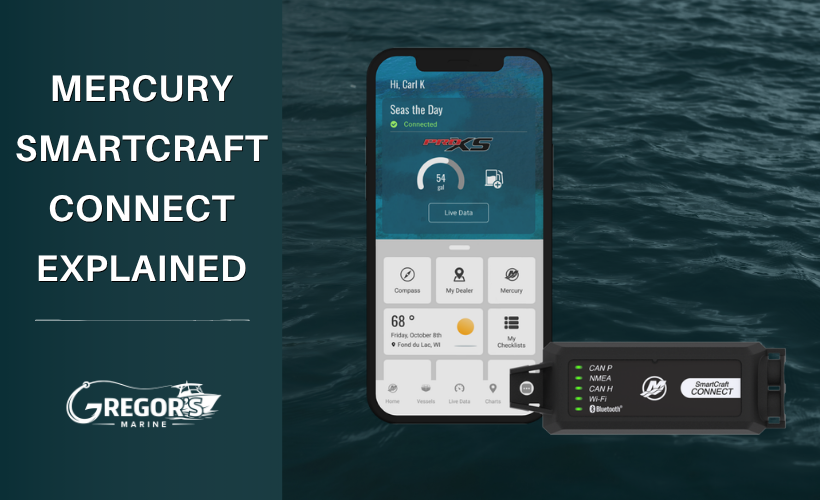
What Is Mercury SmartCraft Connect? A Simple Guide for Boat Owners
What Is Mercury SmartCraft Connect?
If you already have a Garmin, Raymarine, or compatible Simrad display at the helm, you may not need a separate Mercury display to see detailed engine information.
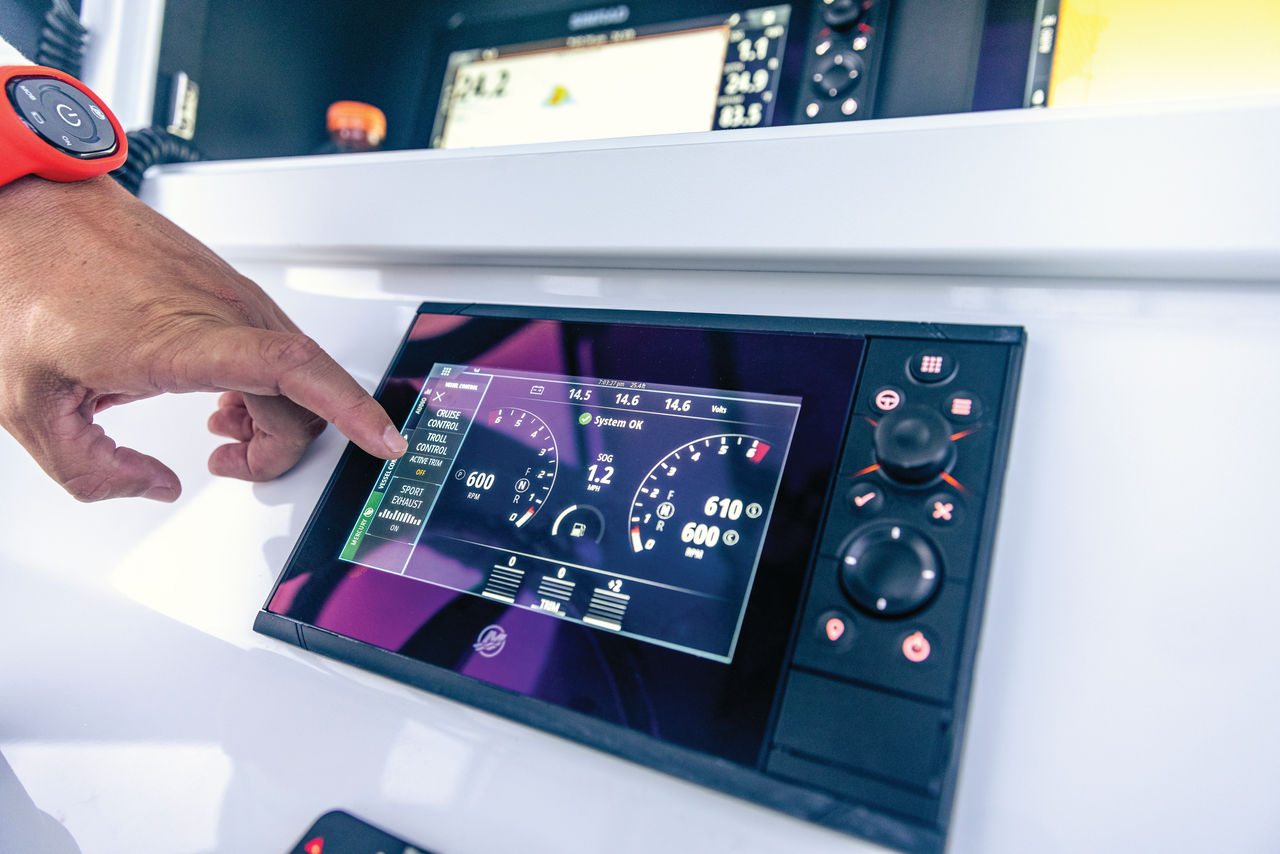
Mercury SmartCraft Connect links a compatible Mercury engine to select multifunction displays, allowing you to access the VesselView interface and live engine data on a screen you're already using.
That can mean fewer separate gauges and better access to what your engine is doing.

What Does SmartCraft Connect Show?
Once properly installed, SmartCraft Connect can bring Mercury engine information to a compatible display, including data such as:
- Engine RPM
- Engine temperature
- Fuel flow and efficiency
- Trim
- Speed
- Battery voltage
- Engine hours
- Engine warnings and alerts
Depending on the engine, display, and additional equipment installed, some setups can also provide access to SmartCraft features such as Troll Control, Cruise Control, Smart Tow, Autopilot, and Skyhook.
Not every feature is available on every boat, so compatibility should be confirmed before choosing a module.
Which Displays Work With SmartCraft Connect?
As of Mercury's current compatibility information, SmartCraft Connect supports select displays from Garmin, Raymarine, and Simrad/Navico.
Current examples include:
- Garmin GPSMAP
- Garmin TD 50
- NMEA 2000-capable Garmin ECHOMAP
- Raymarine displays running compatible LightHouse software
- Simrad NSX and NSS 4
The required software version matters. A chartplotter being a Garmin or Raymarine does not automatically mean it's compatible.
Mercury also notes that some other NMEA 2000 displays may be able to show basic engine data without supporting the full VesselView interface.
SmartCraft Connect vs. SmartCraft Connect Mobile
This is probably the easiest part to misunderstand.
SmartCraft Connect is primarily for integrating your Mercury engine with a compatible multifunction display at the helm.
SmartCraft Connect Mobile sends SmartCraft engine information wirelessly to the Mercury Marine app on your phone or tablet. It can provide live engine data, digital gauges, fuel tracking, maintenance information, and fault notifications.
So the simplest way to think about it is:
Want Mercury data on your chartplotter? SmartCraft Connect.
Want Mercury data on your phone or tablet? SmartCraft Connect Mobile.
SmartCraft Connect Mobile is also the newer option Mercury recommends in place of the older VesselView Mobile hardware, which Mercury has stopped manufacturing.
Will SmartCraft Connect Work With My Mercury?
Mercury currently lists SmartCraft Connect compatibility with SmartCraft-capable engines including:
- Mercury outboards and MerCruiser engines, 40 HP and higher, model year 2004 and newer
- Mercury 25 HP and 30 HP outboards, model year 2022 and newer
Compatibility can still depend on the engine, number of engines, mounting location, existing SmartCraft network, and display being used.
That's why the engine serial number and exact display model are important before ordering.
Why Add SmartCraft Connect?
For many boaters, the biggest advantage isn't adding another screen. It's getting more useful information from the screen that's already there.
Fuel flow is a good example. Instead of relying only on the fuel gauge, you can watch how changes in RPM and trim affect fuel consumption.
Engine warnings are another. When your Mercury detects a problem, having SmartCraft information available can provide more context than simply hearing an alarm.
And if your Mercury enters Engine Guardian, the warning information can help narrow down why the engine reduced power.
For more on that system, see our Mercury Guardian Mode Explained guide.
Which SmartCraft Connect Module Do I Need?
There are different SmartCraft Connect modules for different installations, including single- and multi-engine applications and different mounting locations. Mercury also has different modules depending on the display integration being used.
Don't choose one based only on the connector or product photo.
Before ordering, have these ready:
- Mercury engine serial number
- Number of engines
- Chartplotter brand and exact model
- Current SmartCraft equipment, if any
Our team can use that information to help determine the correct setup.
Installation Considerations
Installation varies depending on your boat’s current setup. Some systems are relatively simple plug-and-play upgrades, while others may require:
- Additional SmartCraft components
- Adapter harnesses
- Network integration
- Display configuration
That is why confirming compatibility beforehand is important.
Mercury Marine has a helpful walkthrough showing how to install the SmartCraft Connect Mobile system. Watching this video below can help give you a better understanding of the process and what the system does.
How To Install Mercury Smartcraft Connect Mobile
Looking for the SmartCraft Connect Mobile Kit?
Gregor’s Marine offers the genuine OEM Mercury SmartCraft Connect units. Because there are multiple SmartCraft systems, gateways, and adapter configurations available, compatibility can vary depending on your specific engine and current rigging setup. Some engines may only support mobile monitoring, while others can integrate directly with multifunction displays and full SmartCraft networks.
View Product: Mercury SmartCraft Connect Module, 8M0173703
View All: Mercury SmartCraft Connect Modules
If you are unsure which SmartCraft Connect system works with your engine, give Gregor’s Marine a call with your serial number and we can help verify compatibility before ordering parts or components.
Need Help Choosing SmartCraft Connect?
Gregor's Marine is an authorized Mercury Marine dealer and carries genuine Mercury SmartCraft components.
If you're upgrading an existing boat, contact our team with your engine serial number and display model before ordering so we can help confirm compatibility.
------------------------------------------------------
Frequently Asked Questions
Is SmartCraft Connect the same as VesselView?
No. VesselView is Mercury's interface for viewing engine information and accessing compatible SmartCraft features. SmartCraft Connect is one way to bring that VesselView experience to a compatible multifunction display.
Does SmartCraft Connect work with Garmin?
Yes, compatible Garmin GPSMAP, TD 50, and NMEA 2000-capable ECHOMAP displays are supported, subject to Mercury's required software versions.
Can I see Mercury engine information on my phone?
Yes, but SmartCraft Connect Mobile is the product designed specifically for connecting your engine to the Mercury Marine app on a phone or tablet.
Recent Posts
-

Mercury Repower Rebates & Financing 2026: What to Know Before You Buy
Thinking about replacing your boat's outboard? Mercury Marine's 2026 Repower and Save Event offers …Oct 30th 2026 -

How to Build the Ultimate Inshore Fishing Boat: Our Dream Setup
If we were building the ultimate inshore fishing boat for Tampa Bay, what would we put on it? We're …Oct 19th 2026 -

Mercury Anodes Explained: Zinc vs. Aluminum vs. Magnesium and Which You Need.
You may hear them called zincs, but the sacrificial anodes on your Mercury aren't necessarily made f …Oct 19th 2026